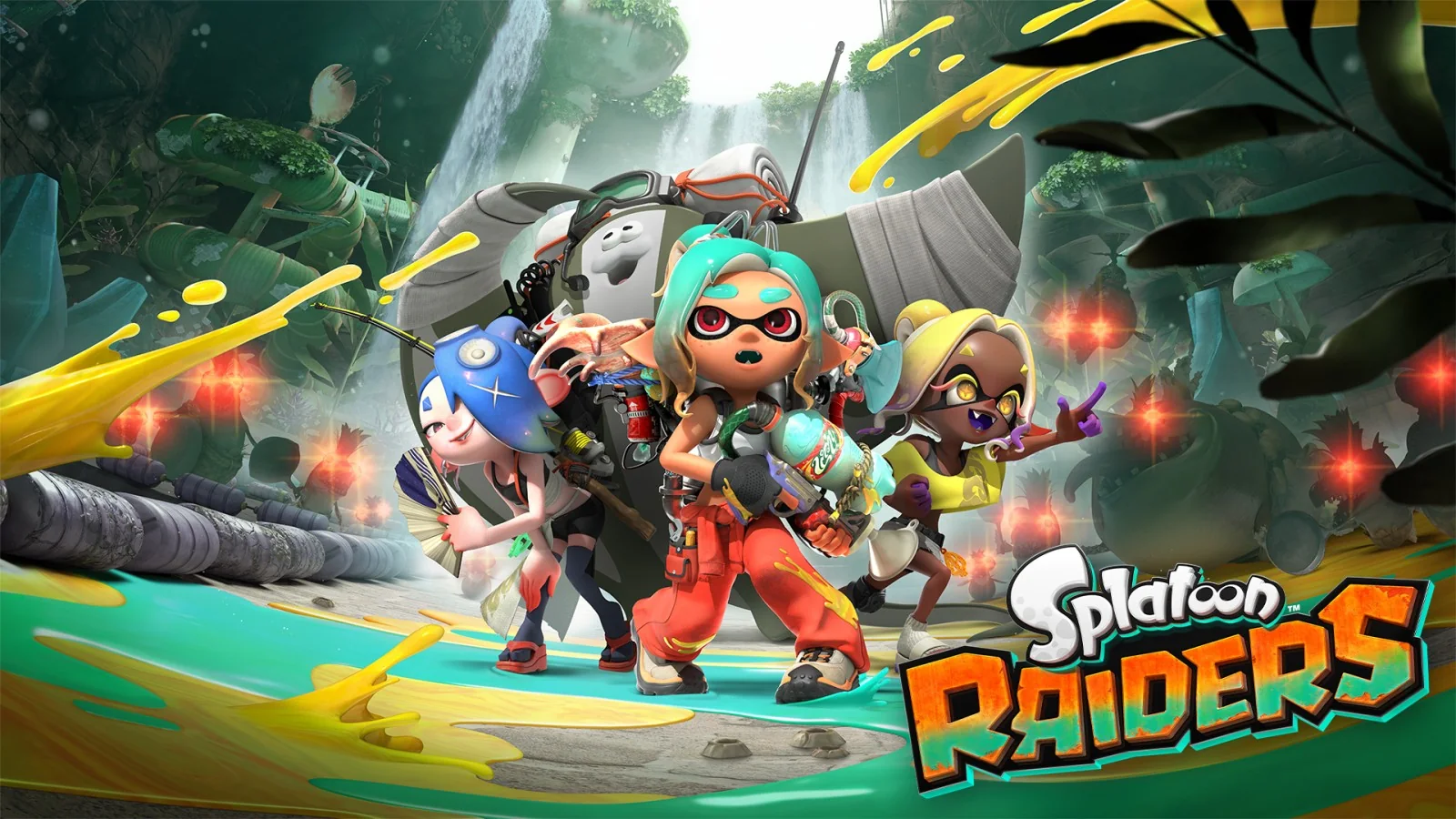
Splatoon Raiders supports four outfit rewards through amiibo. The Raiders versions of Shiver, Frye, and Big Man each unlock a different outfit themed after that Deep Cut member. Scanning another compatible Splatoon-series amiibo unlocks the Bite Waders outfit instead. You cannot use the feature immediately: the amiibo option appears after you complete the first three raids.
The rewards are for appearance, not power. They do not raise damage, improve a Tank, or add a Gadget effect, so players can finish the adventure without buying a figure. Use this guide to see what each amiibo gives you, where the scan option is hidden, and what to check when a figure will not read.
Splatoon Raiders amiibo rewards at a glance
Nintendo divides compatible figures into two groups. The three new Splatoon Raiders figures have individual rewards, while older Splatoon-series figures share one additional reward. That distinction matters if you already have a shelf full of Splatoon amiibo: scanning ten older figures does not produce ten different Raiders outfits.
| Figure scanned | Splatoon Raiders reward | What to know |
|---|---|---|
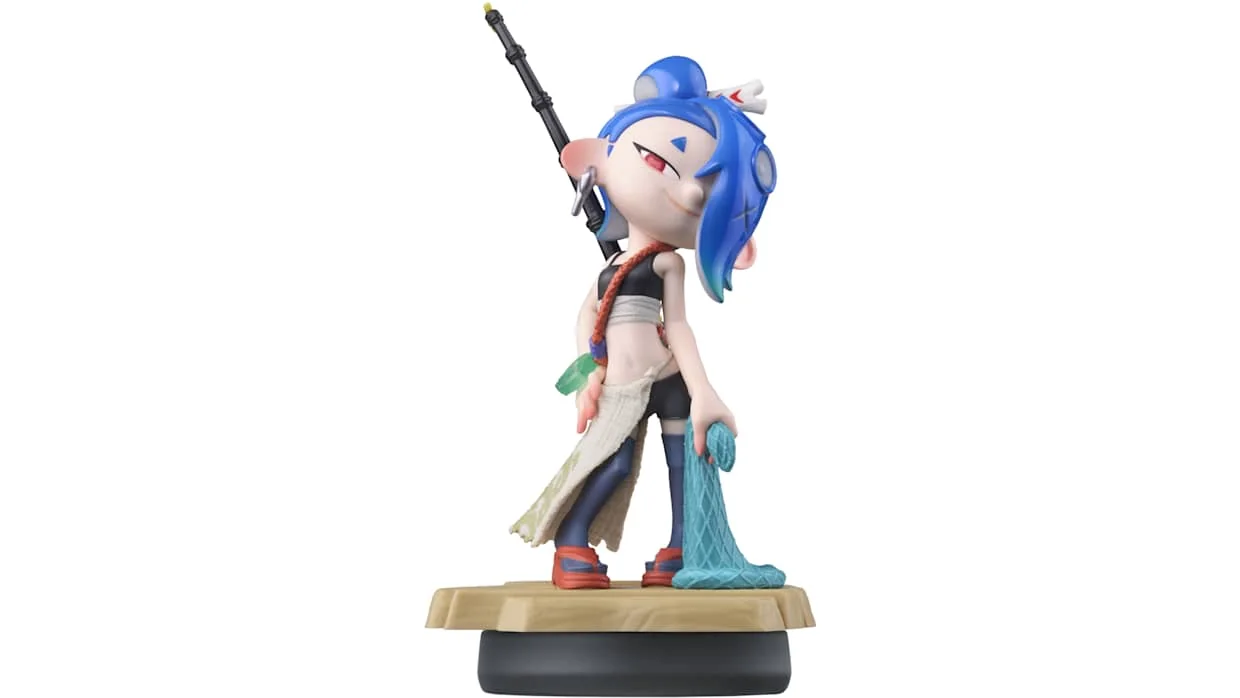
| Shiver (Splatoon Raiders) | Shiver-themed outfit | A blue look inspired by Shiver's Raiders clothing |
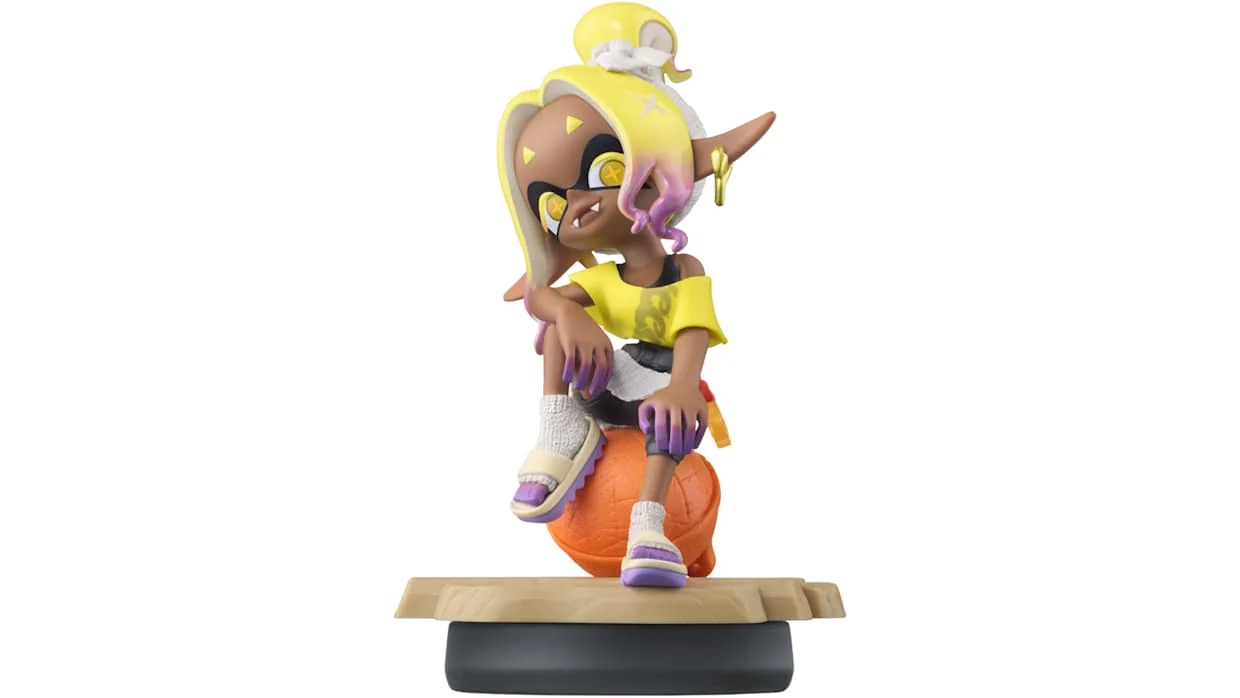
| Frye (Splatoon Raiders) | Frye-themed outfit | A yellow look inspired by Frye's Raiders clothing |
| Big Man (Splatoon Raiders) | Big Man-themed outfit | A grey-and-green look inspired by Big Man |
| Another compatible Splatoon-series amiibo | Bite Waders outfit | Older Splatoon figures share this Raiders reward |
| amiibo from another series | No reward | The game asks for a compatible Splatoon figure |
Do the outfits improve your stats?
No stat bonus or passive skill is attached to these outfits in the launch version. They change how the Mechanic looks, but they do not replace the progression systems that determine how a run feels. Your weapons, upgrades, Tanks, and Gadgets remain the meaningful gameplay choices. If you are tuning a loadout, use the Tank and Gadget Explorer rather than treating amiibo clothing as equipment.
That makes the purchase decision straightforward. Buy a Raiders figure because you like the sculpt, the character, or the exclusive look—not because you fear being underpowered without it. The game does not place a required combat tool behind the scan.
How to unlock and scan amiibo
Complete the first three raids before looking for the amiibo menu. This is the most important step and the most likely reason a new player cannot find the option. Finishing the tutorial or arriving at the Hideout Ship is not enough by itself.
- Start Splatoon Raiders and load your save.
- Complete the first three raids if you have not already done so.
- At the Hideout Ship, press the + Button to open the Gear menu.
- Move to Style, then select amiibo.
- Choose Scan! when the game is ready.
- Hold the base of the figure against your controller's NFC touchpoint.
- If the figure has never been registered, follow the prompt to set its nickname and owner.
- Return to the Style menu and equip the newly unlocked outfit.
The unlock is delivered to the Style wardrobe after a successful scan. You do not have to start a raid wearing it, and you can switch back to any normal outfit later. Players still learning the Hideout Ship and raid loop can review the beginner guide before rushing through the opening missions just to reveal this menu.
Where to tap each controller
| Controller | NFC touchpoint | Important note |
|---|---|---|
| Joy-Con 2 (R) | Right control stick | Rest the figure's base over the stick |
| Nintendo Switch 2 Pro Controller | Nintendo Switch 2 logo at top center | Use the center area between the controls |
| Original Joy-Con (R) | Right control stick | Original Joy-Con controllers work wirelessly with Switch 2 |
| Original Nintendo Switch Pro Controller | Nintendo Switch logo at top center | NFC is disabled while this controller is used wired |
Do not tap the character itself against the controller. The NFC chip is in the round base, so place the bottom of that base flat over the touchpoint. Wait for the confirmation sound and on-screen message before lifting it away.
Before you scan: a quick checklist
Stand at the Hideout Ship instead of trying to scan during a raid, and make sure the Gear menu is responding normally. If you use detachable controllers, confirm that the right controller is paired to the system. Remove a thick protective grip if it prevents the round base from sitting close to the right stick. The reader works over a short distance, so a bulky case can turn a correct placement into an inconsistent scan.
- Finish raid three and return to the Hideout Ship.
- Save your current progress before troubleshooting hardware.
- Use the base of an official compatible Splatoon amiibo.
- Keep the figure steady until the confirmation appears.
- Complete any nickname-and-owner prompt rather than backing out midway.
Nintendo's instructions say first-time scanning may ask you to register a nickname and owner. That prompt is part of the normal amiibo setup; it does not mean Raiders rejected the figure. Complete it, return to the game's scan prompt, and try again.
What older Splatoon amiibo unlock
Any other compatible Splatoon-series amiibo belongs to the legacy group for Raiders. Current post-launch testing identifies its shared reward as Bite Waders, an orange wader-style outfit for the Mechanic. The important word is shared: Callie, Marie, Pearl, Marina, an Inkling, or another older compatible character does not generate a different Raiders outfit for each figure.
This behavior is specific to Splatoon Raiders. An amiibo can unlock different content when scanned in Splatoon 2 or Splatoon 3, because the game—not the plastic figure—defines the reward. Do not use an old Splatoon 3 gear chart to predict what Raiders will give you. If your goal is only the Bite Waders, scan one compatible older figure before buying more.
The same warning applies to look-alike Deep Cut products. Shiver, Frye, and Big Man already had amiibo before their Raiders designs arrived. Check the pose and clothing on the product page if you want one of the three Raiders-themed rewards. An older Deep Cut figure belongs to the broader Splatoon-series group in Nintendo's Raiders instructions; do not assume the character name alone guarantees the new outfit.
Troubleshooting an amiibo that will not scan
Most failures come from progression, controller placement, or compatibility rather than a damaged figure. Work through these checks in order:
| Problem | Likely cause | What to do |
|---|---|---|
| No amiibo option in Style | Fewer than three raids completed | Finish raid three, return to the Hideout Ship, and reopen Gear |
| Game asks for a compatible figure | The figure is not from the supported Splatoon group | Try a Raiders figure or another official Splatoon-series amiibo |
| Nothing happens on an original Pro Controller | Controller is connected by USB | Disconnect the cable and use it wirelessly before scanning |
| Registration prompt appears | First use or unregistered figure | Complete the nickname and owner setup, then return to the scan |
| Scan starts but fails | Base moved or placed off-center | Hold the base flat and still on the NFC point |
If the correct figure and controller still fail, save your game, confirm that the system and Splatoon Raiders are updated, restart the software, and retry. Test a second compatible amiibo if one is available; that quickly separates a figure problem from a controller or menu problem.
After a successful scan, verify the reward in Style before repeating the process. The game says the outfit is unlocked and available to change there, so repeatedly tapping the same figure is not the fix for an outfit you have simply not equipped. If the confirmation appeared but the wardrobe looks unchanged, leave the amiibo submenu, reopen Style, and check the complete outfit list.
Are the Splatoon Raiders amiibo worth buying?
For gameplay power, no amiibo is necessary. For collectors and outfit completionists, the three Raiders figures are the only route to their three matching looks in the launch build. In the United States, Nintendo lists each one at $24.99, so collecting all three at MSRP costs $74.97 before tax. That is a substantial price for cosmetics, even if the figures also have display value.
A practical approach is to buy the character you genuinely want first. Shiver's figure does not unlock Frye's or Big Man's outfit, so choose based on the look you will wear and the figure you want on your shelf. If you are shopping in the United States, our U.S. Raiders amiibo buying guide explains why overseas three-pack listings do not match Nintendo's individual U.S. packaging.
Splatoon Raiders amiibo FAQ
Can one Raiders amiibo unlock all three Deep Cut outfits?
No. Shiver, Frye, and Big Man each unlock their own themed outfit. You need the corresponding figure for each of the three looks.
Do older Splatoon amiibo work?
Yes. Compatible older Splatoon-series figures unlock the shared Bite Waders outfit in Raiders. They do not each grant their original game's full gear set.
Do I need an amiibo to complete Splatoon Raiders?
No. The confirmed rewards are outfits without combat bonuses. The story, raid progression, weapons, Tanks, and Gadgets do not require an amiibo purchase.
Can I scan amiibo before finishing the third raid?
No. Nintendo's official instructions state that the scan option becomes available only after the first three raids are complete.
Where can I review other release and platform details?
See the site's Splatoon Raiders game information guide for current platform, price, download size, and release details.
Loading comments...